Roles management
8068 views
•
Updated 1 hour ago
🔐 Manage User Roles
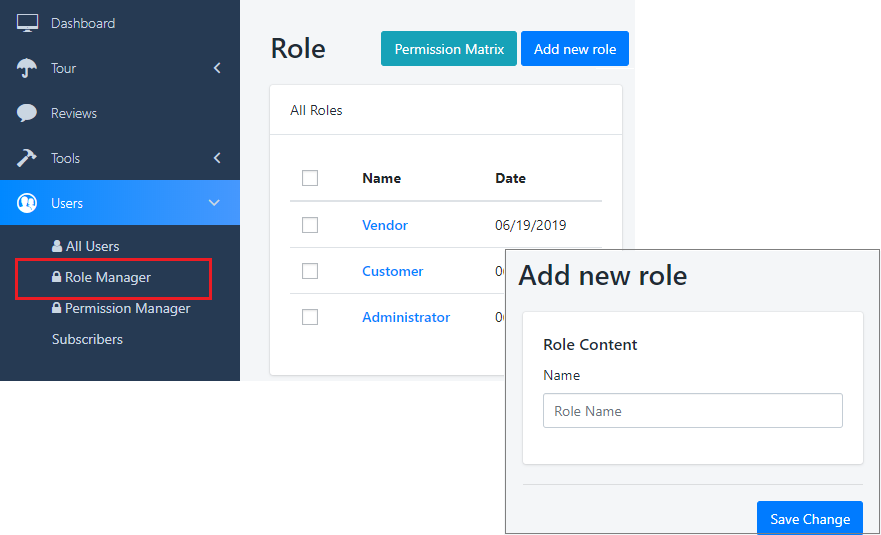
Navigate to: Dashboard > Users > Role Manager
Click "Create New Role" to begin.
📝 Create a New Role
This panel displays a list of existing roles. To create a new one, simply enter the name of the role and click Save.
⚙️ Set Role Permissions
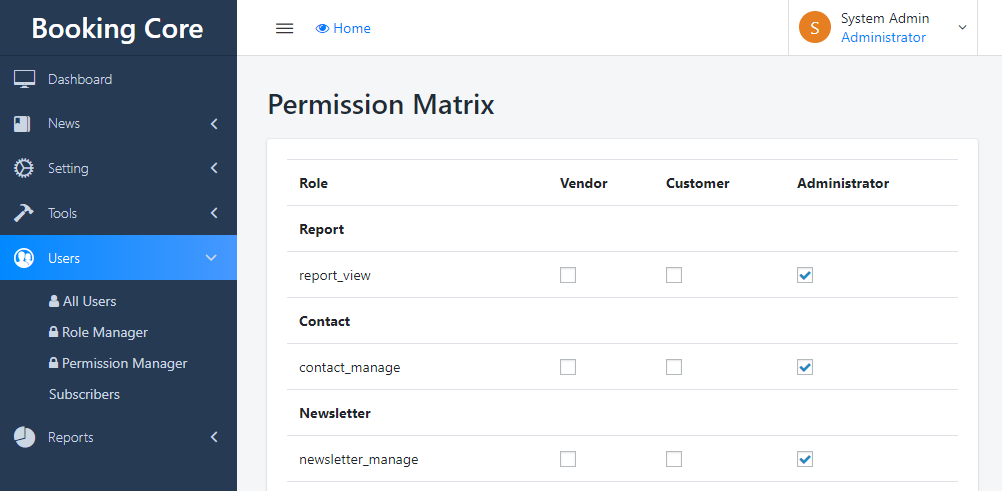
After creating the role name, click the Permission Matrix button.
You’ll see a list of available permissions. Just check the boxes for the permissions you want to assign to this role.
✅ Tip: Be sure to assign only the necessary permissions for each role to maintain a secure and organized system.
Was this article helpful?